
Slidewright

Edit, check and present reveal.js slide decks
Slidewright is a minimalist editor for reveal.js presentations. Open an HTML deck, change it right on the slide, check it for accessibility, and present it with live drawing tools. It saves back to the same kind of file, with the deck's own scripts and styles untouched. It runs in the browser with nothing to install.
Editing
Edit on the slide
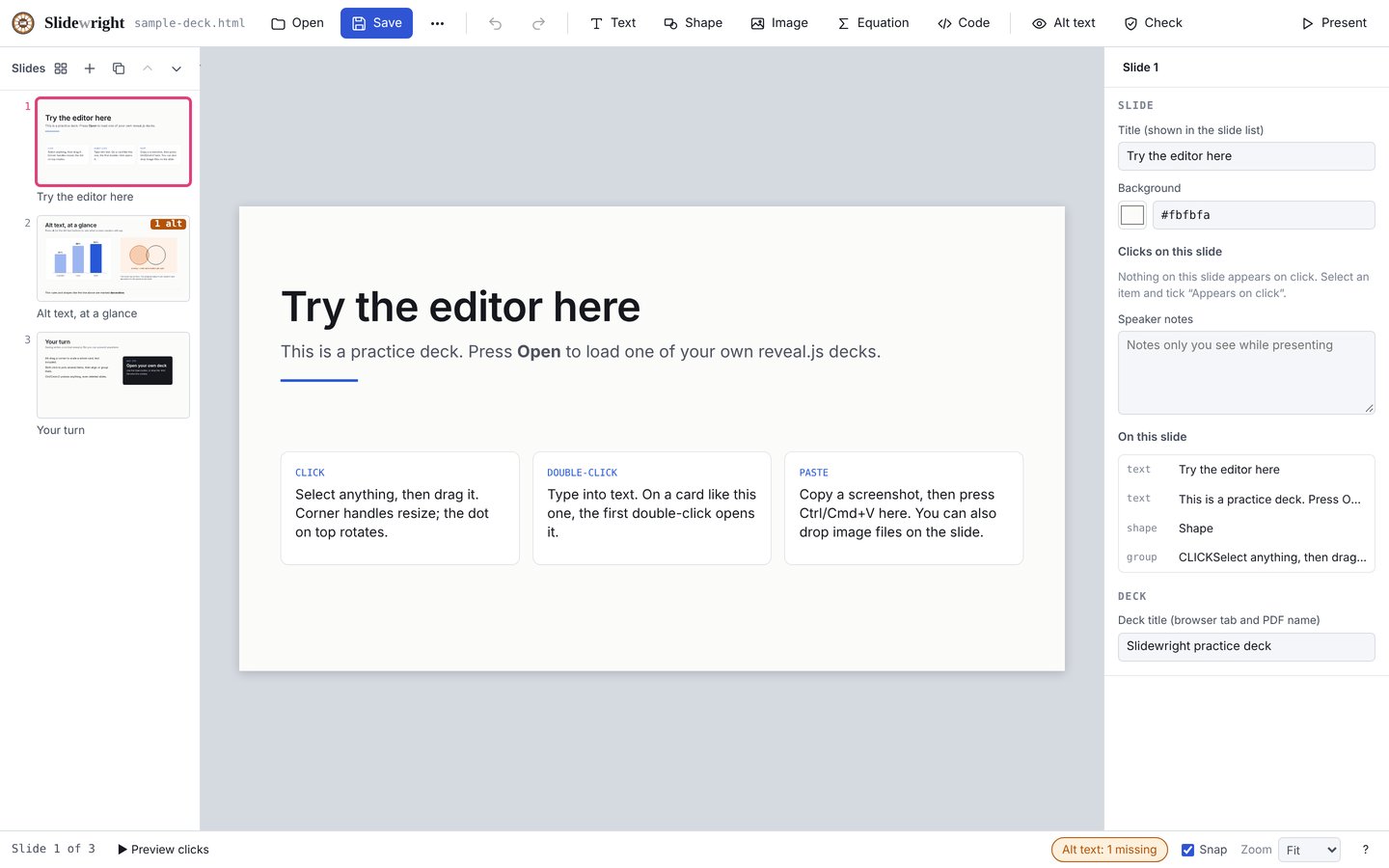
Drag, resize and rotate anything, with snapping to the slide and to other items. Alt-drag a corner to scale an item with its text and padding together. Paste or drop images straight onto a slide.
Equations
Type LaTeX straight into text and it renders when you finish typing. Or right-click to open an equation editor at the cursor.
Code blocks
Syntax highlighting for Python, JavaScript, shell and JSON, with line numbers, dark or light colors, and line ranges that light up one click at a time.
Text styles
Use the styles already in the deck (Title, Subtitle, Body and more), save your own, and copy a look from one item to others with the style painter.
Undo anything
Undo and redo cover every change, including slide changes. Group, align, layer and duplicate items, and find and replace across the deck.
Slides and builds
Layouts that match the deck
Start a new slide from a standard layout styled like the deck you opened, such as title, section header, two columns, comparison, picture with caption, key number or statement. Or start from one of the deck's own slides.
Slide sorter
See every slide at once, select several, and drag to reorder, duplicate or delete them.
Linked build steps
An item that looks the same in every click step changes everywhere at once. Preview clicks and animations in place, and reorder what appears on each click.
Accessibility
Alt text at a glance
See the alt text on every picture, spot the ones that have none, and write it or mark the picture as decorative.
Accessibility check
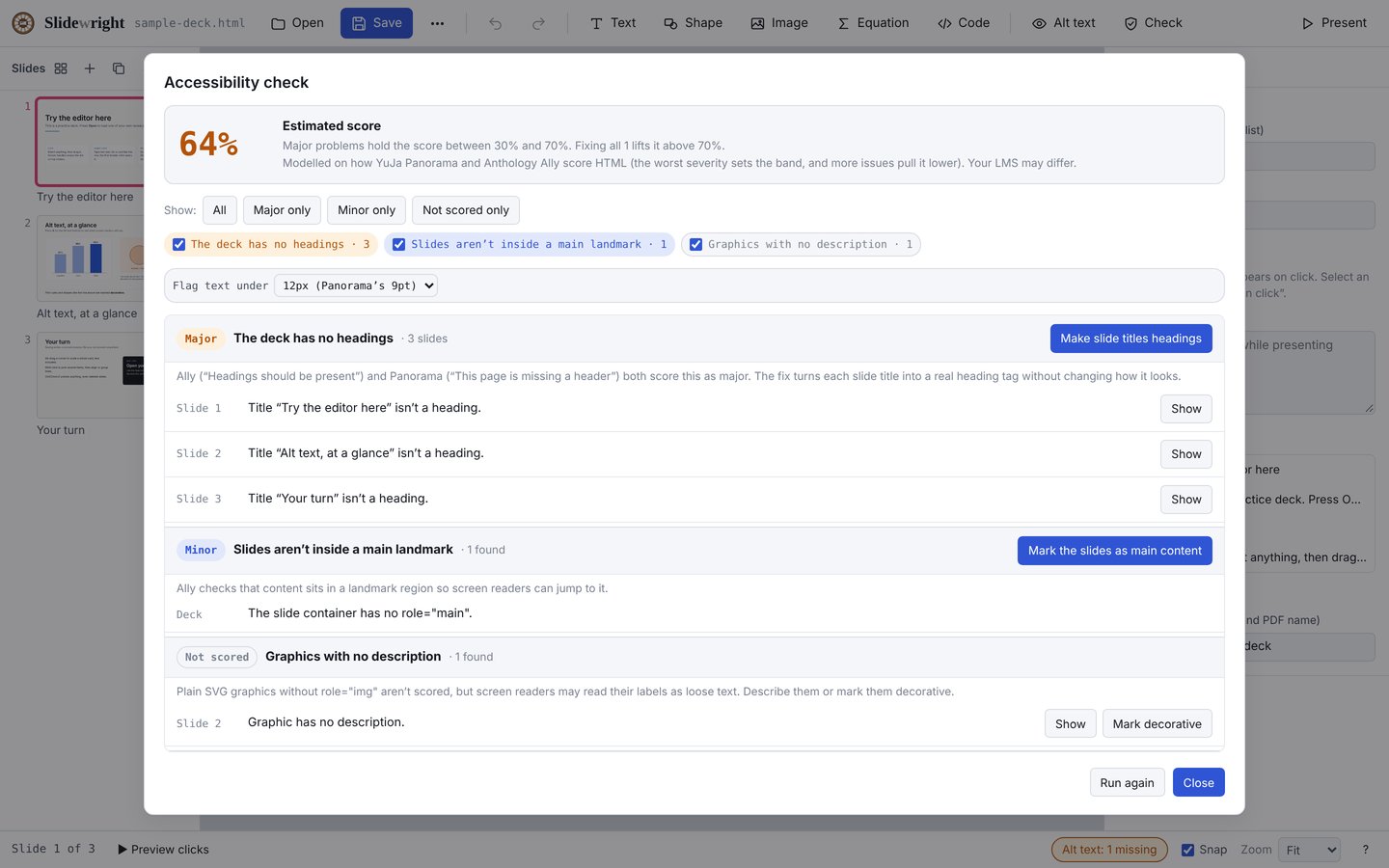
Modeled on how YuJa Panorama and Anthology Ally score HTML. It gives an estimated score and lists problems by severity, such as missing alt text, headings, contrast, tables, lists and small text, with filters and one-click fixes.
Presenting and sharing
Presenter view
See your notes and the next slide, with a total and a per-slide timer, while it drives a separate audience window.
Draw while you present
Pen, highlighter, laser pointer and blank screen. Strokes stay with their slide and show on both the presenter and audience screens.
PDF and handouts
Export a PDF with one page per slide or per click, or a student handout with the speaker notes.
Files, GitHub and history
Save back to the file
Open a deck from a folder, reopen recent decks, and save straight back to the file in Chrome and Edge. Other browsers download a copy.
Work with GitHub
Sign in with GitHub to open decks from your repositories, commit changes and browse their history. Your token stays in your browser.
Compare versions
Compare the deck slide by slide with its saved version, an older commit or another file.
The code is free and open source under the MIT License. See the source on GitHub.