
Introduction to PLC Automation (Beta)
Free online course Beta
A free, self-paced course on programming programmable logic controllers with ladder logic. It's built from the PLC course I taught at Tennessee Tech. You watch the lectures, read the book, and do every lab in Ladderbox, a PLC that runs in your browser. There's nothing to install and no hardware to buy.
This course is still being built. Ladderbox, the interactive book and the lecture links will change, and you may run into rough edges. So far only chapter 1 has its full reading and activities in Ladderbox, but every module's challenges work now. Your progress is saved in your browser, so clearing site data resets it.
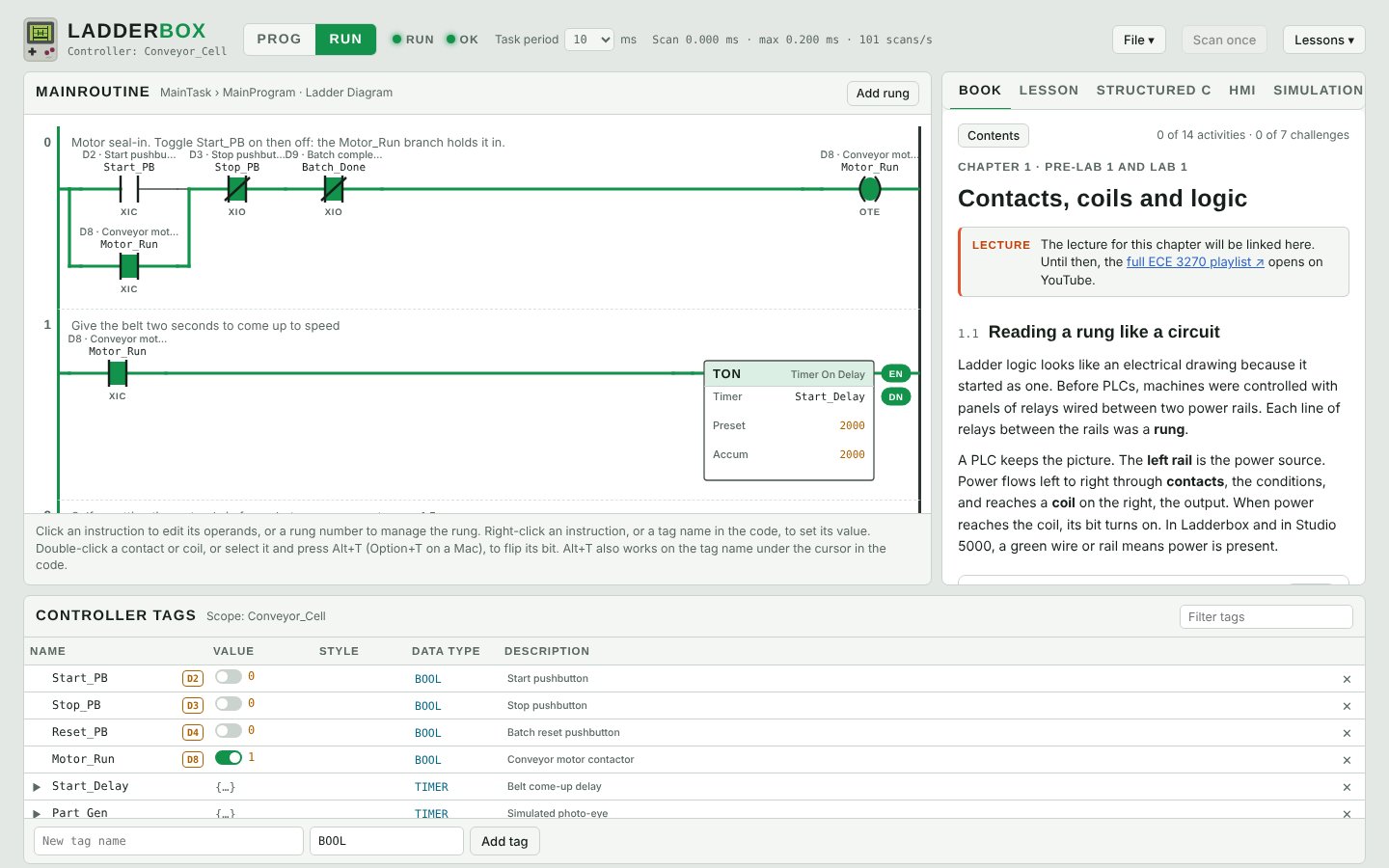
How the course works
Watch
Each module has a video lecture that covers the instructions and ideas the lab needs.
Read
Open the chapter in Ladderbox's Book tab. The reading has small rungs to try, quizzes and animations of the scan. The PDF book has the original lab write-ups.
Build
Each challenge opens in the ladder editor with its tags ready. Write the rungs, run the controller, and drive the inputs, the HMI or the simulation.
Check
Press Check my code and Ladderbox tests your program against the specification. Your progress stays in your browser, and you can export a completion report.
Work through the modules in order, since each lab only uses the instructions covered so far. If you already know PLCs, try solving each challenge with just those instructions.
Modules
-
Getting around the controller
Lab 0 · 2 challenges
Download a program, go online, and make your first edits to a running controller, both online and offline.
- Is it Fall? Fix the OR
- Is it Fall? The AND way
-
Contacts, coils and logic
Pre-lab 1 and Lab 1 · 7 challenges
Read a rung like a circuit. XIC and XIO contacts, series and branches as AND and OR, the scan cycle, seal-in circuits and De Morgan's theorem.
- Sound the alarm
- Robot cell E-stop
- Safe to move
- Storefront door
- Storefront door, again
- Sawmill seal-in
- De Morgan challenge
-
Latches and bit-latch sequences
Pre-lab 2 and Lab 2 · 4 challenges
Latch and unlatch bits to remember what happened, step a machine through a sequence, and build a toggle without a one-shot.
- Stove bit-latch sequence
- The formula with a temporary tag
- Box transfer system
- Toggle without a one-shot
-
Math and compare instructions
Pre-lab 3 and Lab 3 · 4 challenges
Do arithmetic in ladder, compare values to make decisions, and count events by hand.
- Point on the unit circle
- Transmission shim thickness
- Modulo without MOD
- Seven boxes, counted by hand
-
Timers and counters
Pre-lab 4&5 and Labs 4&5 · 4 challenges
Use TON timers and CTU counters and the data inside their TIMER and COUNTER structures. Debounce a signal, count boxes and make a square wave.
- Debounce a signal
- Seven boxes with a CTU
- Square wave
- Maze challenge
-
Talking to the HMI
Pre-lab 6 and Labs 6&7 · 5 challenges
Send values from an operator screen to the PLC and display results back, with buttons, numeric entry and displays, and multi-state indicators.
- Centrifuge speed entry
- Stopwatch
- Blinking light
- Calculator
- Safe combination
-
A real specification
Pre-lab 8&9 and Labs 8&9 · 1 challenge
Turn a written functional specification into a working program and HMI, measuring vehicle speeds with pressure road tubes.
- Pressure road tubes
-
State machines
Pre-lab 10&11 and Labs 10&11 · 4 challenges
Design a state machine and code it in ladder logic, from a simple toggle to a traffic light.
- Simple state machine
- Toggle as a state machine
- Wamapoke stoplight
- The final problem
-
Lab final
Lab final · 1 challenge
Put it all together on a full industrial problem, with HMI object visibility and messages.
- Winnipeg Industrial
-
Process simulations
Beyond the book · 2 challenges
Run a transmission cell and a sorting line, live simulations driven entirely by your PLC program, with a 3D view.
- Transmission press and spin test
- Package sorting line
Lectures
The full lecture series plays below, or you can open the playlist on YouTube.
About Ladderbox
Real controllers too
Ladderbox uses the Allen-Bradley instruction set and data types. You can export a program to Studio 5000 (L5X) or to an Arduino sketch, and import L5X files.
Ladder and C side by side
A Structured C view stays in sync with the ladder in both directions, so you can read a rung as code or type code and watch the rung appear.
For instructors
The course works as a full lab sequence. Students can hand in Ladderbox's completion report, which lists every activity and challenge with best scores and dates.
Ladderbox is free to use and runs entirely in your browser. Allen-Bradley, Studio 5000 and Arduino are trademarks of their respective owners, and Ladderbox is not affiliated with them. See the source on GitHub.